The Digital Interface
Discover More:
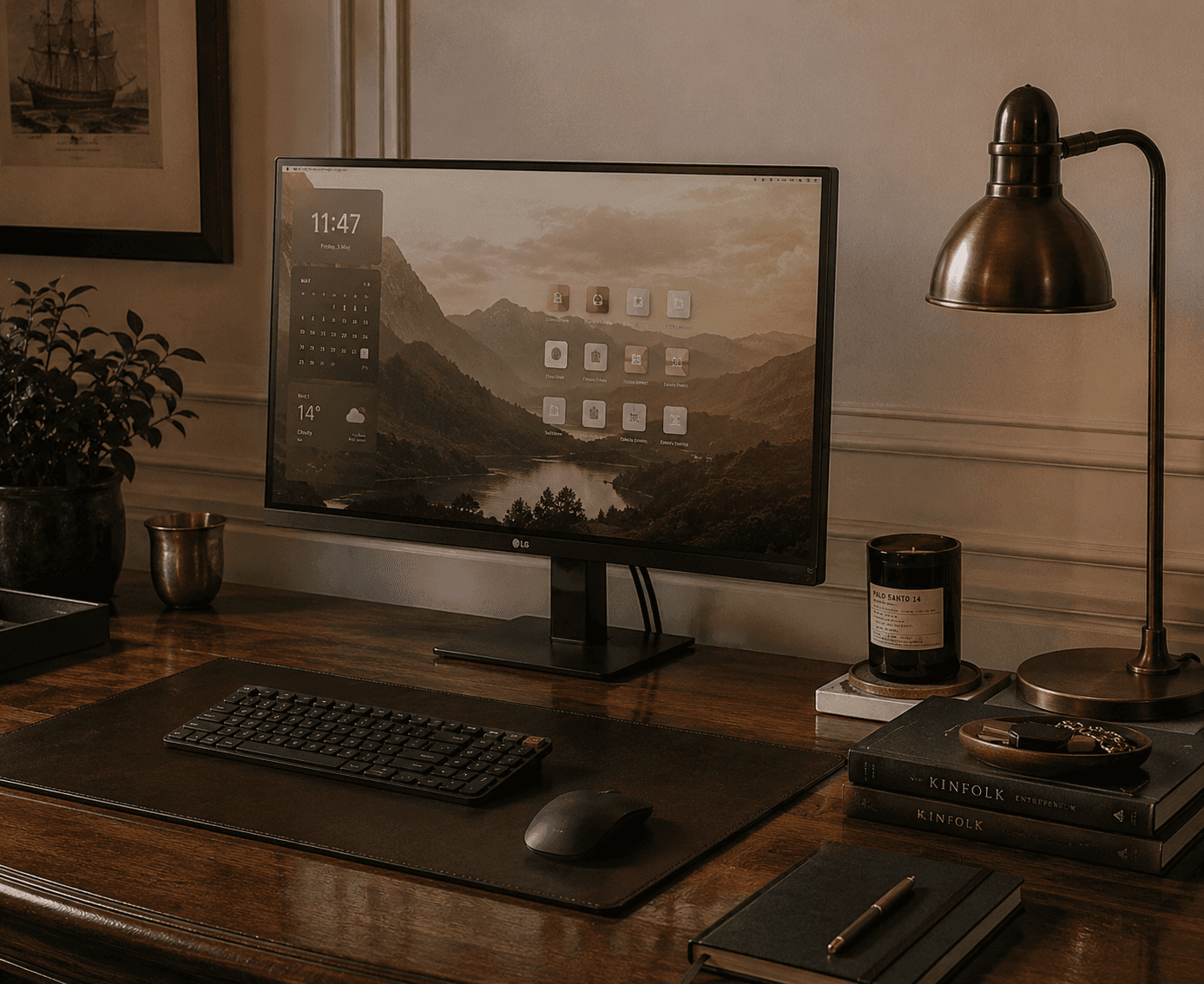
Most people spend eight hours a day typing on the flimsy, plastic membrane keyboard that came with their computer, or the flat, completely lifeless keys of a standard laptop. These keyboards offer zero physical feedback, wear out quickly, and do nothing to improve the look of your desk.
Switching to a well-built mechanical keyboard completely changes the experience of daily writing.
However, if you search for mechanical keyboards online, you are instantly flooded with flashing rainbow lights, aggressive gaming designs, and confusing technical jargon about soldering and custom programming. If you simply want a clean, quiet, and reliable tool for your desk, this guide breaks down the exact practical decisions you need to make.
I . Form Factor: Choosing the Right Desk Footprint

The first choice you need to make is how large you want the keyboard to be. Standard office keyboards are massive and take up a huge amount of desk space, forcing your mouse hand far out to the side, which causes shoulder strain over long days.
The Full-Size Mistake: Unless you are working strictly in data entry or heavy accounting, you do not need the dedicated number pad on the far right. Removing it instantly frees up valuable space on your desk mat.
The "75% Layout" Standard: For a clean workspace, look for a 75% or "Tenkeyless" (TKL) form factor. These layouts remove the bulky number pad but keep your essential arrow keys and function row completely intact. It gives you a compact footprint that leaves your desk looking spacious and organized without sacrificing usability.
II . Mechanical Switches: Understanding the Sound and Feel
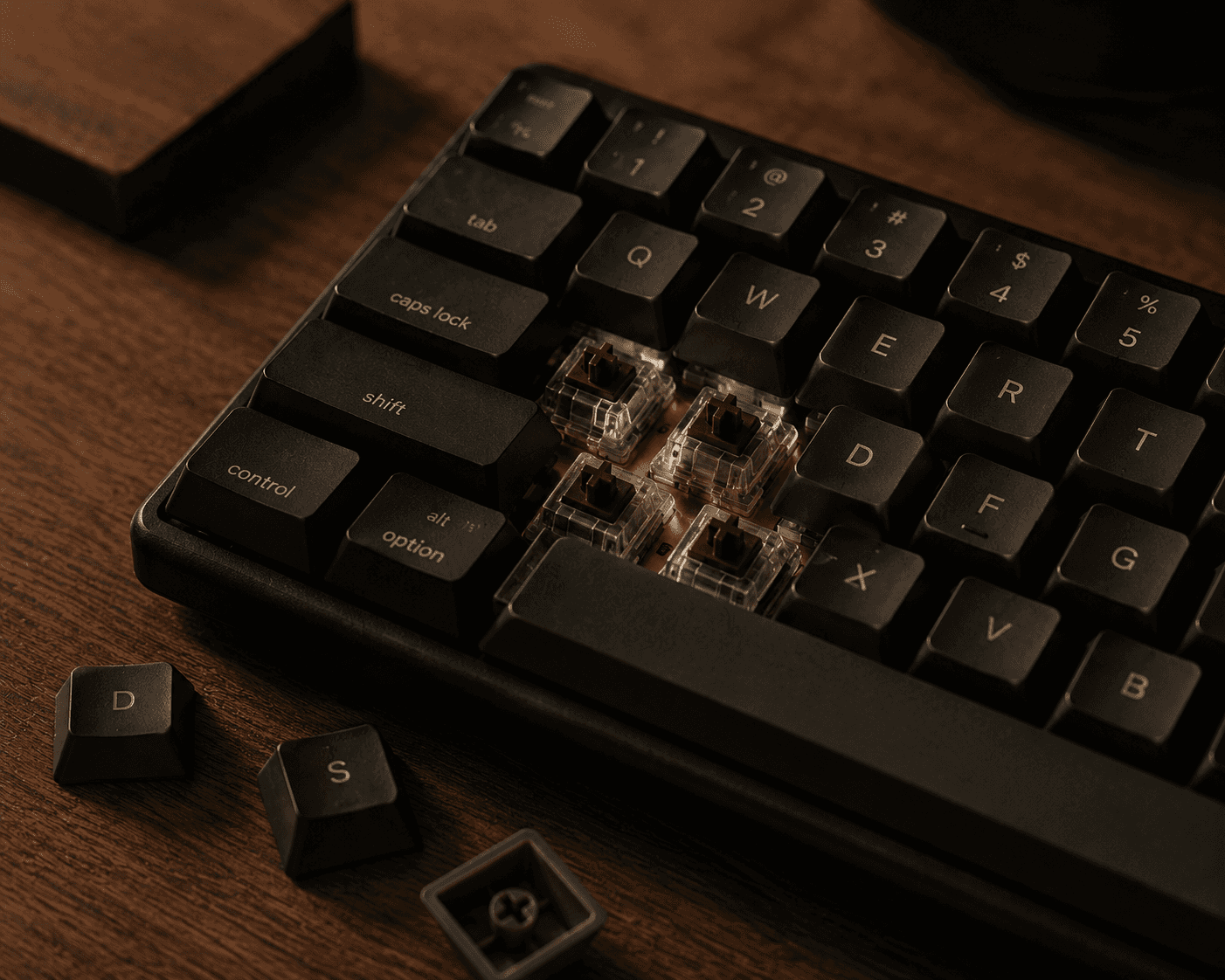
The small plastic mechanism hidden underneath every single keycap is called a switch. This dictates exactly how hard you have to press the key and, more importantly, how much noise the keyboard makes. Switches are broadly categorized by colour, and choosing the wrong one will quickly make you unpopular if you work in a shared space.
Avoid "Blue" Clicky Switches: Blue switches are designed to make a loud, high-pitched typewriter clicking sound. While some like the feedback, they are incredibly loud and distracting in a quiet home or office environment.
Choose "Brown" (Tactile) or "Red" (Linear): If you want a smooth, quiet typing experience that still feels miles better than a laptop, look for pre-built keyboards with Brown or Red switches. Brown switches give you a tiny, satisfying physical bump you can feel right as the key registers, whereas Red switches press straight down completely smoothly and quietly.
III . Materials: Plastic vs. Aluminium Cases
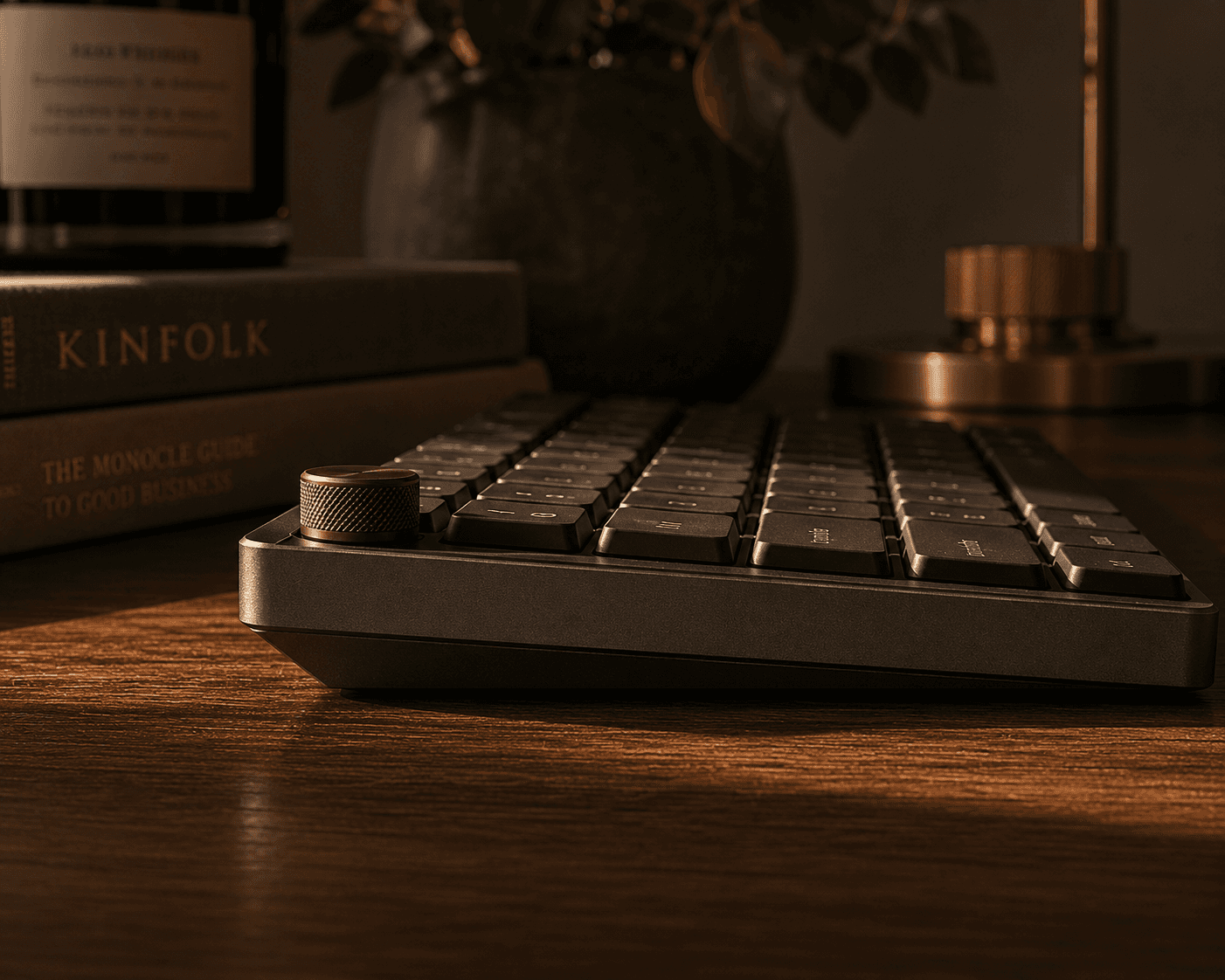
A cheap keyboard feels light, hollow, and rattles whenever you type quickly. A high-quality workspace tool should stay firmly anchored to your desk.
The Case Material: Look for keyboards built with an anodized aluminium case rather than thin ABS plastic. A solid aluminium body eliminates hollow acoustic echo, giving your typing a deeper, quieter sound, and ensures the keyboard will last for a decade of constant use.
Keycap Quality: Check the specifications for the keycaps themselves. You want to see PBT plastic listed rather than standard ABS. PBT caps have a premium, slightly textured matte finish that resists the oils from your fingers, preventing the keys from developing an ugly, greasy shine over time.
IV. The Workspace Integration Checklist
Before you add a new keyboard to your workspace, use these three practical setup rules to clean up your desk layout:
Add a Felt Desk Mat: Never place a mechanical keyboard directly onto a bare wooden or glass desk. A large, grey wool-felt desk mat underneath your keyboard absorbs low-frequency vibrations, completely softening the sound of your typing and protecting your desk surface.
Go Wireless with Type-C: To keep your workspace looking minimal and tidy, choose a keyboard that supports Bluetooth or a 2.4GHz wireless connection. Ensure it charges via a standard USB-C port so you can use a single high-quality cable to charge it overnight, keeping your desk entirely cord-free during the working day.
Keep the Backlighting Clean: Most premium mechanical keyboards include backlighting. Turn off any cycling rainbow or flashing effects. Set the lights to a static, dim, warm-white glow just to help you see the legends clearly if you are writing in the early morning or evening.
Continue Through the Archive.


