The Digital Interface
Discover More:

The Bespoke macOS: Crafting an Old-Money Desktop
By Blackthorne & Rowe | The Digital Archives
“Your digital workspace should carry the same architectural weight as a physical study or a tailored wardrobe.”
The average Mac desktop is a mess of neon app icons, busy wallpapers, and scattered screenshots. For anyone who values classic design, that bright default interface feels completely out of place.
Treating your laptop screen like a piece of personal real estate makes your daily workflow feel calm and deliberate. Here is how to rebuild your macOS interface with an understated, heritage-inspired aesthetic:
I. The Layout: Spatial Balance
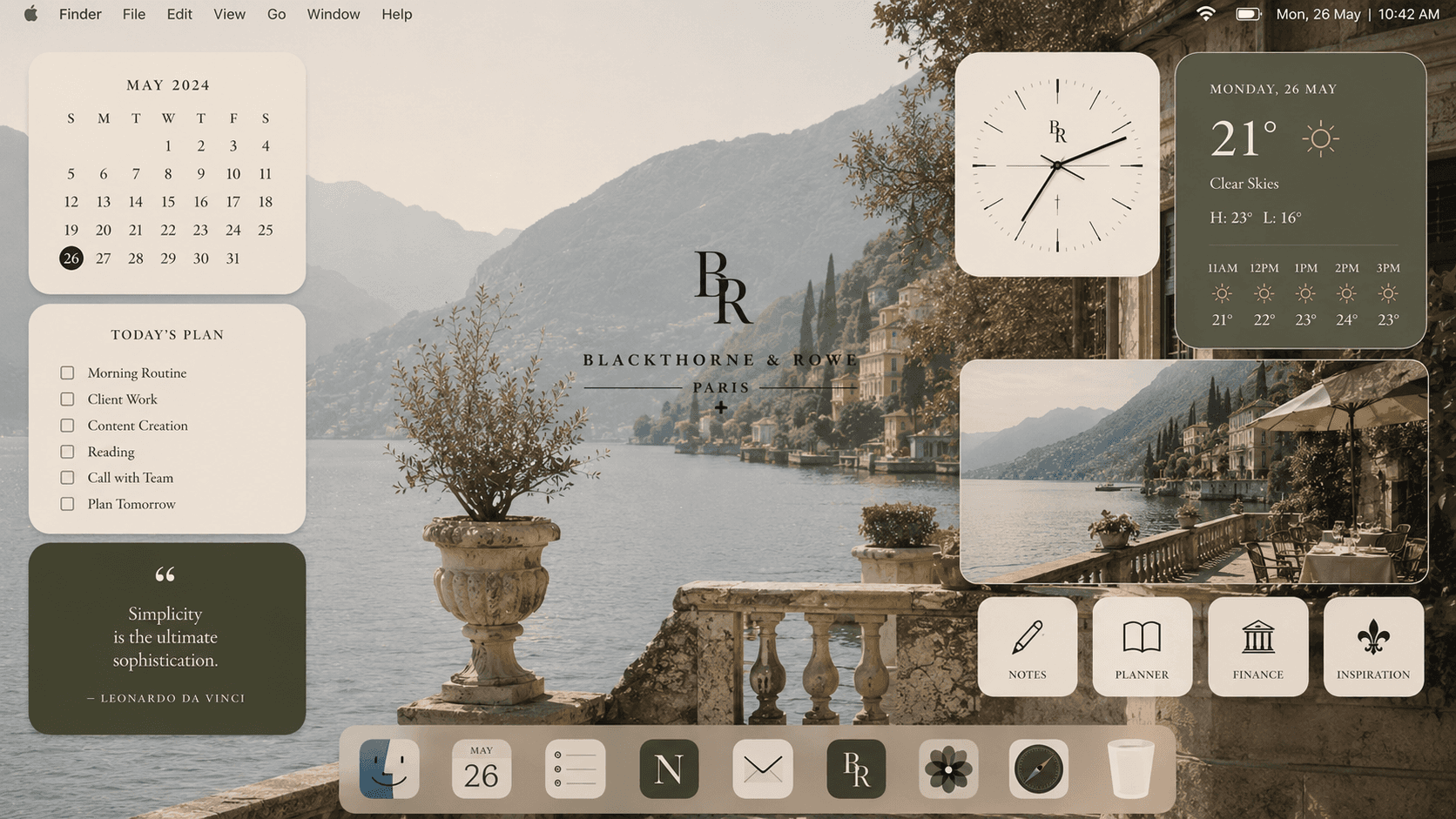
"Treating the Screen Like a Gallery"
A classic desktop relies on empty space and symmetry rather than packed grids.
The Left-Hand Focal Point: Set a high-resolution, muted background on the left two-thirds of your screen. Look for oil painting textures, classic architecture (like stone archways or library interiors), or dark olive landscapes. Keep this area completely free of files.
The Right-Hand Utility Margin: Reserve the far right edge of your screen strictly for functional widgets and core folders. Grouping your tools into a single vertical column gives the screen a balanced, editorial feel.
II. The Luxury Widget System
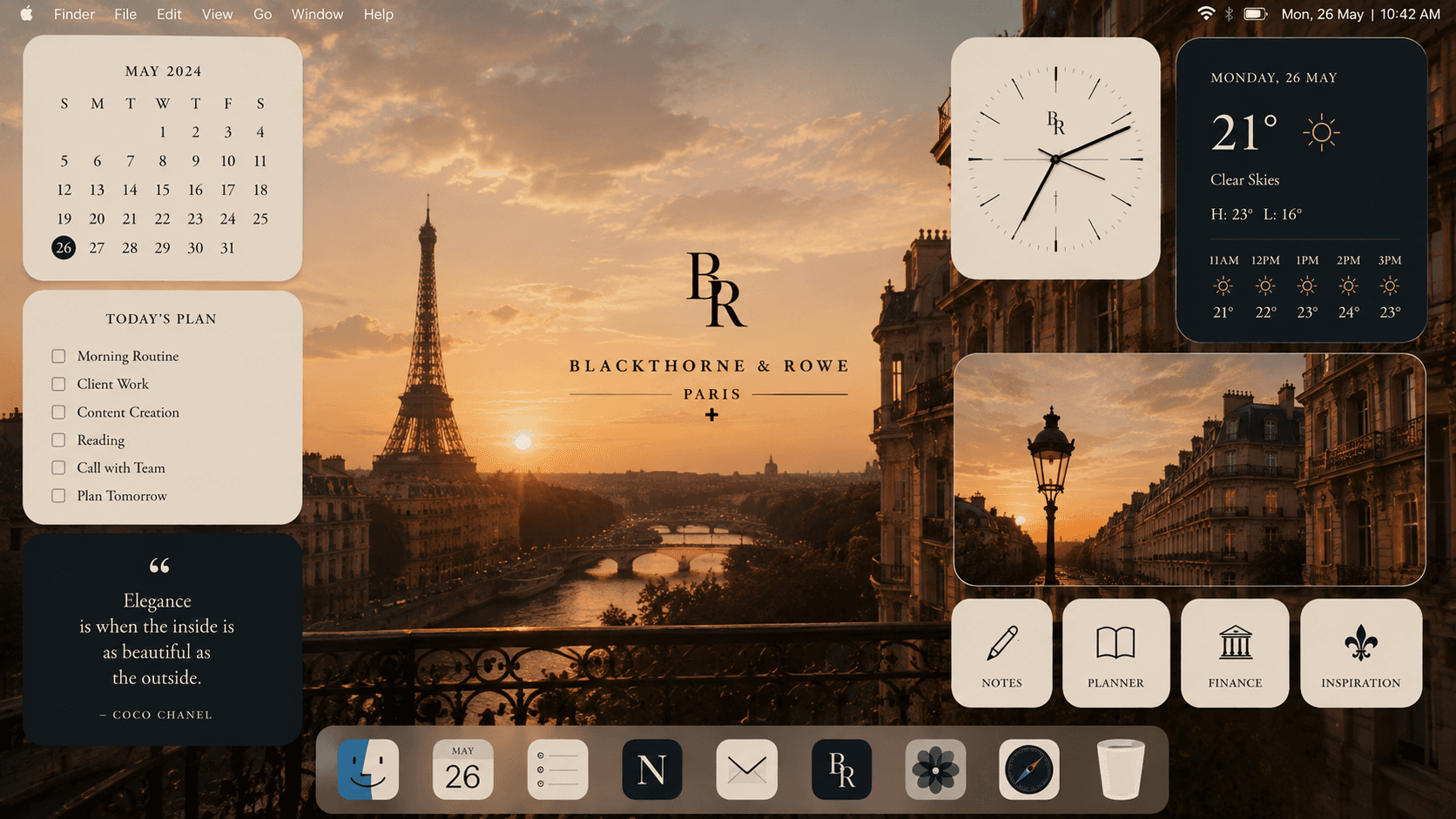
"Swapping Neon Utilities for Tonal Panels"
Bright weather graphics and digital clocks instantly break the mood. Use free desktop customisers (like Widgetsmith) to build minimalist, tonal alternatives:
The Heritage Clock: Replace digital numbers with a plain analog clock face. Use a warm cream background, thin charcoal hands, and zero numbers for a clean look inspired by classic watchmaking.
The Editorial Weather Deck: Rebuild your weather widget using a plain dark slate or forest green block. Use simple gold or light grey text to display the temperature, skipping bright radar maps and animated sun icons.
III. The Folder & App Grid

"Customising Your Daily Shortcuts"
Standard neon app graphics and bright yellow folder icons draw too much unnecessary attention.
Custom Square Tiles: Convert your main folders into uniform square tiles with neutral backgrounds (cream, deep navy, or warm tan). Add a small, simple icon in the centre—like a fountain pen for writing or a leather ledger for finances.
Monochrome App Packs: Swap brightly coloured app icons (Safari, Mail, Notes) for custom monochromatic versions. Matching all your apps to two core tones creates immediate visual harmony across your dock and desktop.
IV. The Final Clean-Up

"Eliminating Visual Noise"
Auto-Hide System Bars: In your System Settings, set both the Top Menu Bar and the Dock to automatically hide when not in use.
Clear the Desktop: Move all active files into a single hidden "Inbox" folder or route them straight to your Documents folder. Your desktop background should look like a framed print the moment you open your laptop.
Explore our full archive of digital layouts and design templates at Blackthorne & Rowe .
Continue Through the Archive.


